
For organizations
One workspace to run it all.
Admin tools for HR, People & Culture and program leaders. Everything below is a real screen from the admin workspace, with a made-up organization.
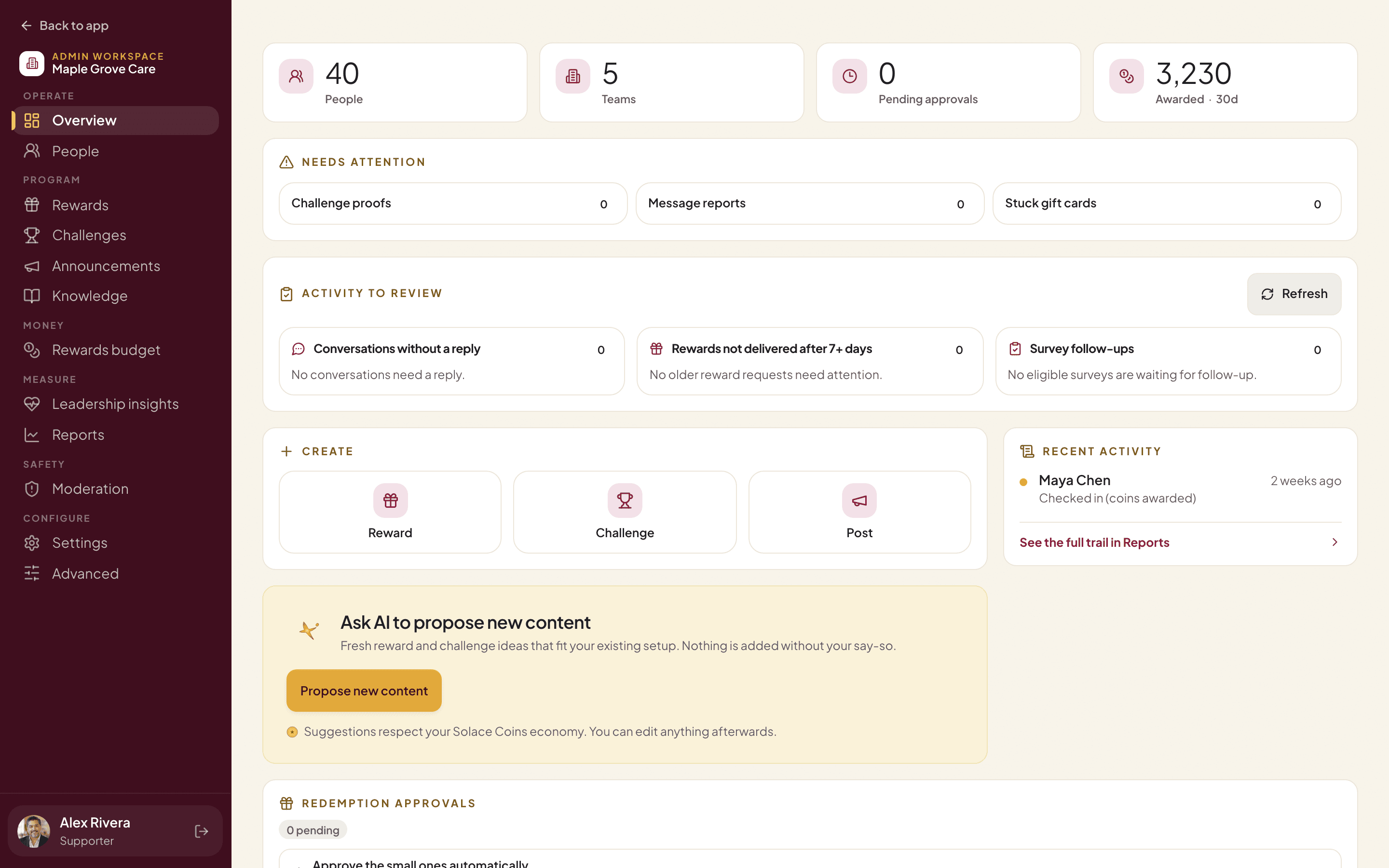
Overview
What needs you, on one screen.
People, teams, approvals waiting and coins awarded at the top. Below, anything that needs a look: challenge proofs, message reports and any gift card that got stuck on the way.
- Create a reward, challenge or post in one click.
- Ask AI to propose new rewards and challenges. Nothing is added without your say-so.
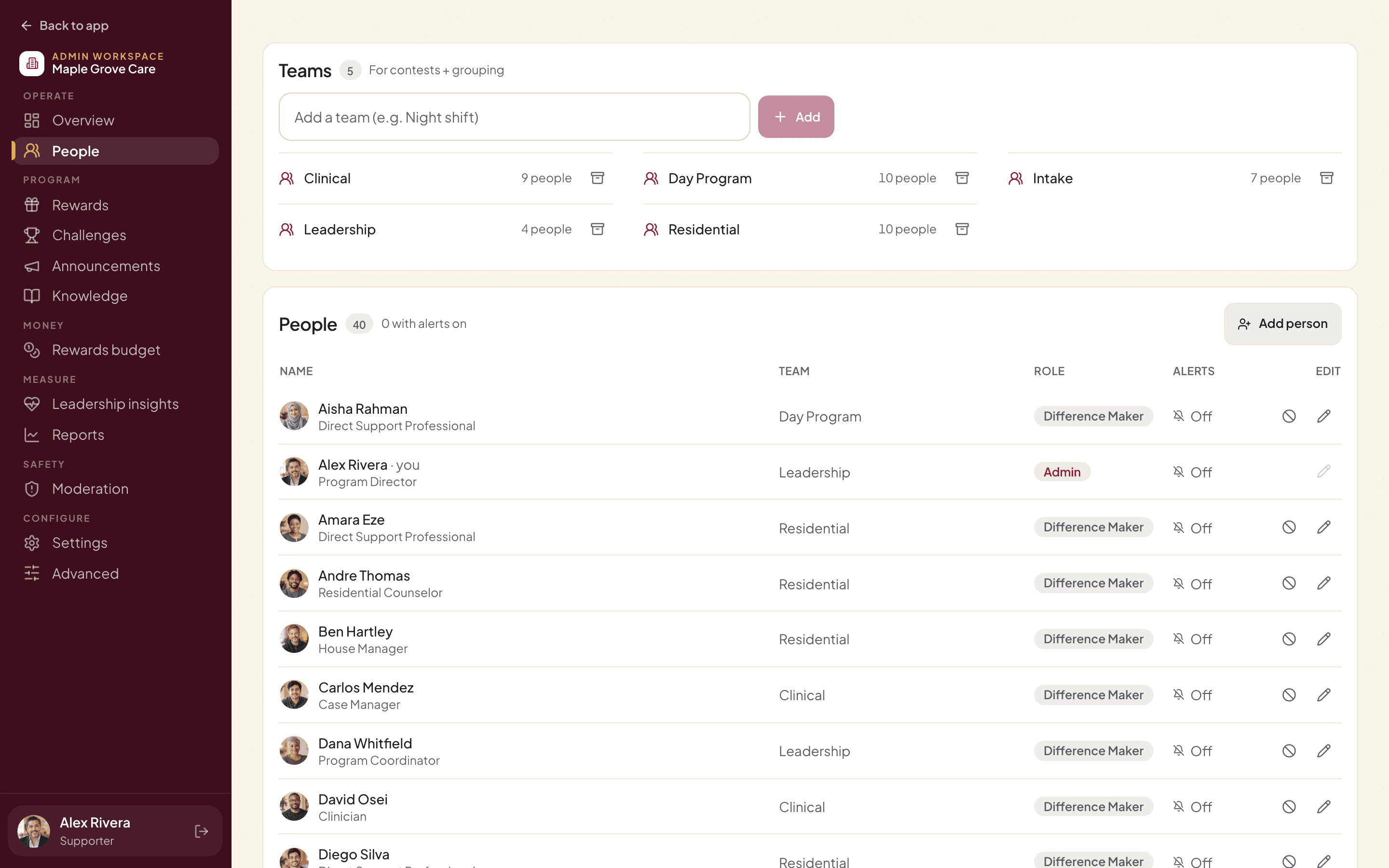
People
Your people and teams.
Add staff, put them in teams and give someone the admin role. There are two roles, admin and member, so it’s always clear who can see what.
- No public sign-up: only people you add can join.
- Suspend an account when someone leaves.
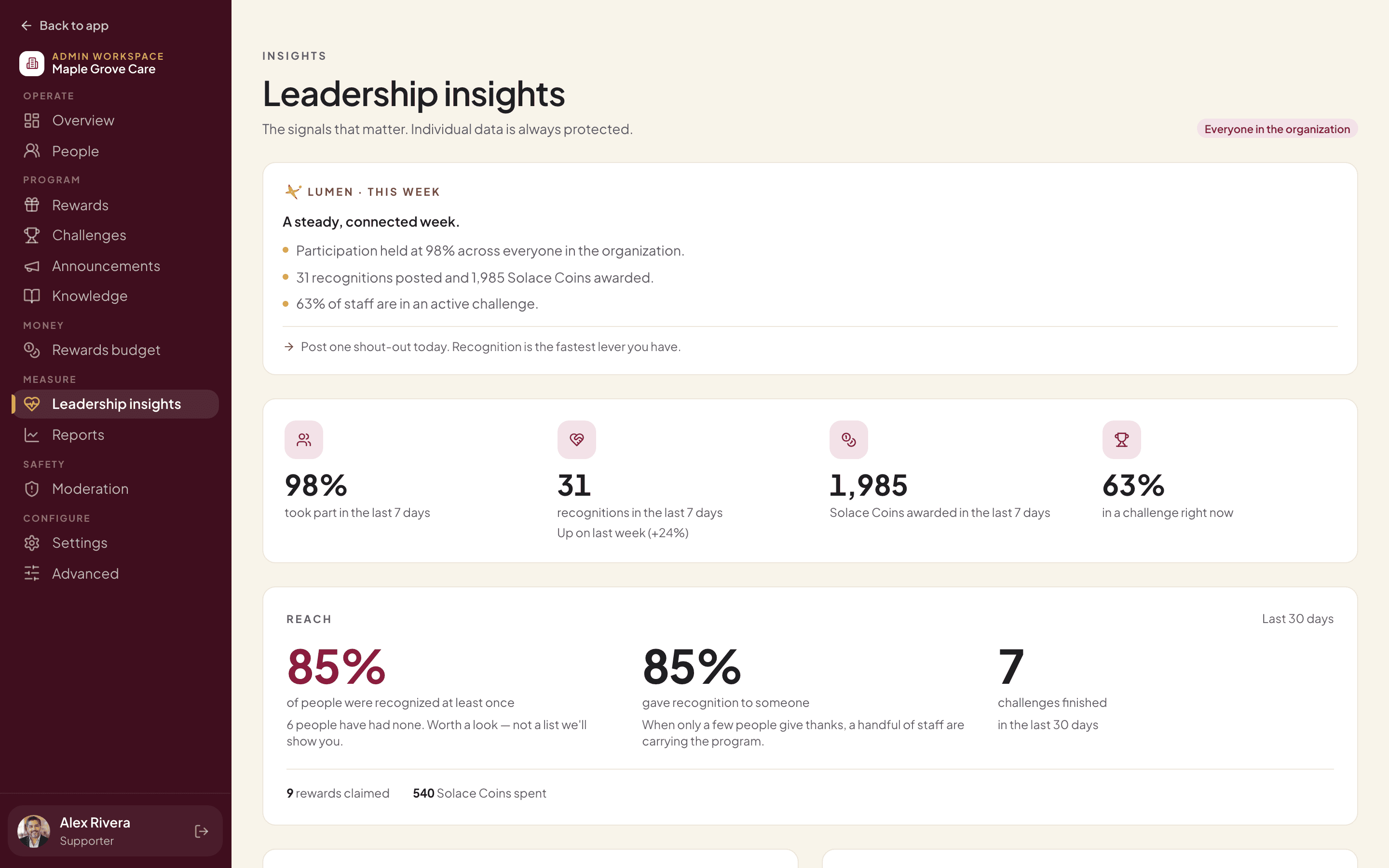
Leadership insights
Know how your teams are really doing.
Participation, recognition, coins and challenges across your organization, with a short weekly summary from Lumen and one suggestion to act on.
- Wellbeing appears only as group totals, for groups of 5 or more.
- You never see one person’s check-in, note, reflection or Lumen chat.
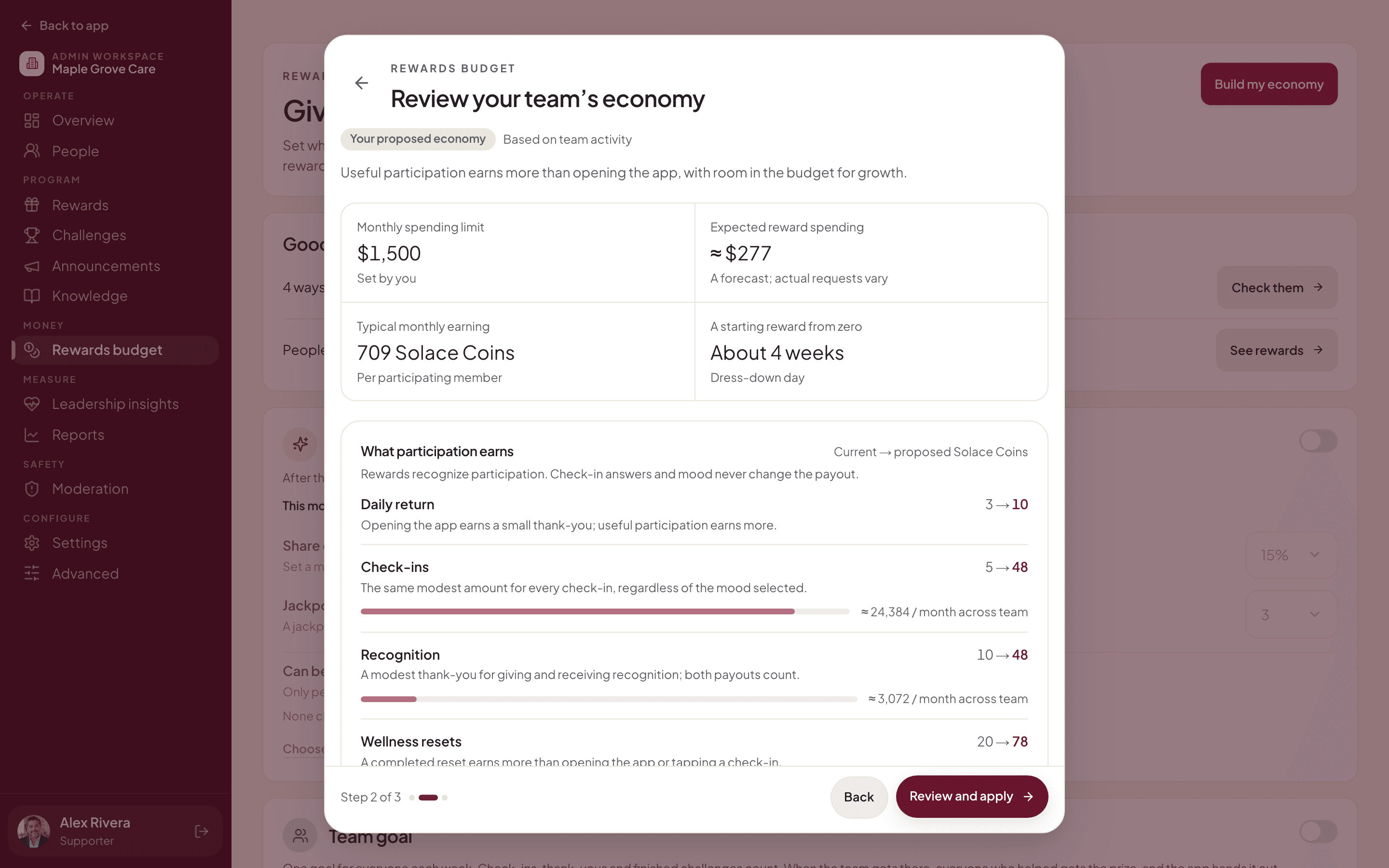
Rewards budget
A budget you set once.
Choose a monthly spending limit. Solace365 looks at how your team takes part and proposes what each check-in, thank-you and challenge should earn, so rewards feel reachable and spending stays inside the limit.
- Nothing changes until you review and apply it.
- How someone feels never changes what a check-in pays.
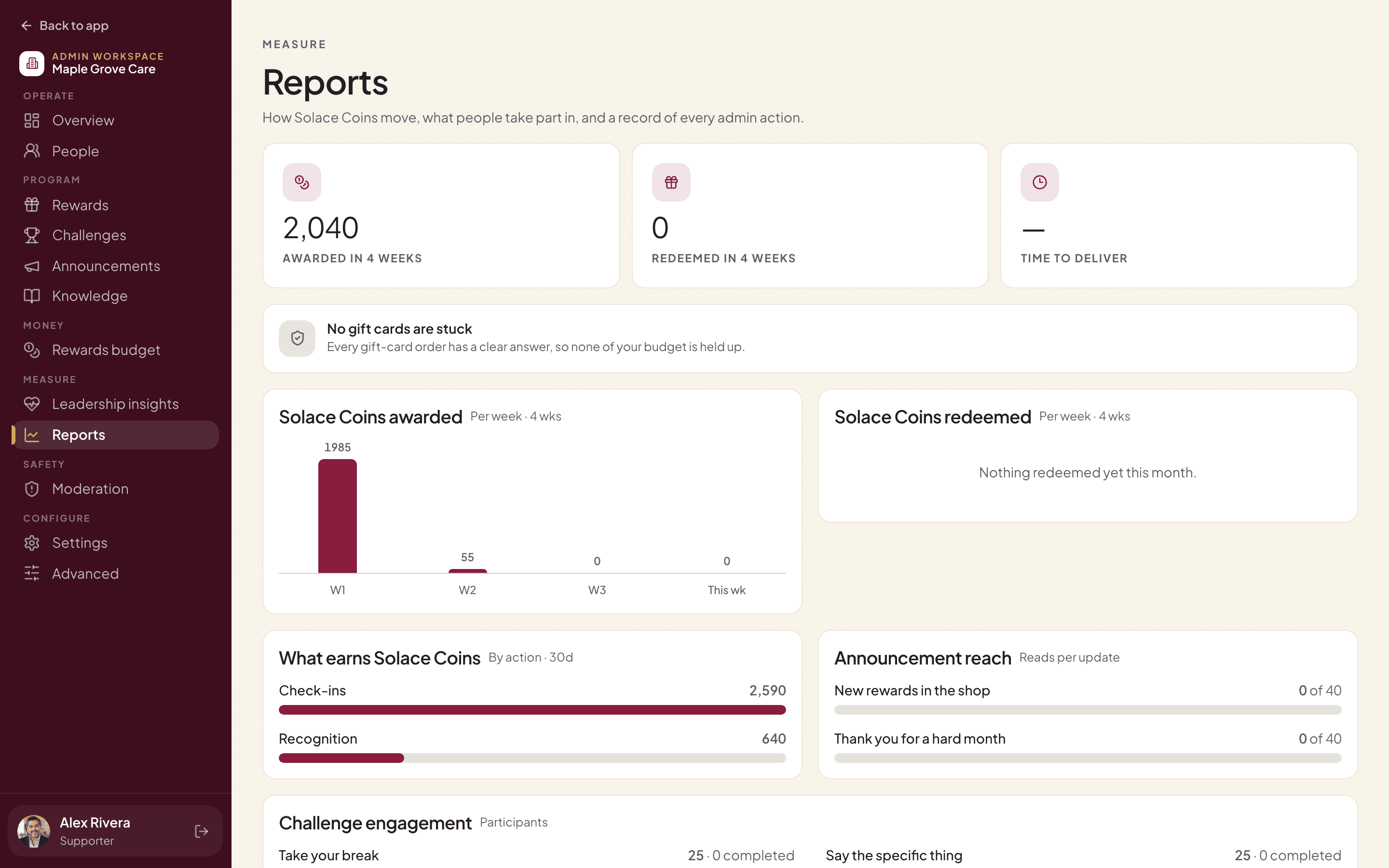
Reports
See what’s working.
Solace Coins awarded and redeemed each week, what earns them, how many people read each announcement and how challenges are going, plus an audit trail of admin actions.
Rollout
From hello to your first report.
Step 01
Set up
We create your organization and your administrators with you.
Step 02
Add your people
Add your staff and teams. Only people you add can ever join.
Step 03
Choose rewards
Stock the shop, pick challenges and set a monthly rewards budget.
Step 04
Invite
Staff get an email invite and sign in at app.solace365.com.
Step 05
Read the first report
See participation, thanks and coins, and adjust as you go.
Gift cards, sent for you.
When someone redeems a gift card, our gift-card partner issues it and they open it right in the app. Small workplace perks can be approved automatically if you choose, and the Overview flags any gift card that got stuck on the way.
Per employee, per month.
One monthly invoice covers your staff and any gift cards sent that month. Workplace perks like a dress-down day cost you nothing extra.
Ask for a price